A release gate for tool-using AI agents
Agent Evals tells you whether a prompt, model or tool change broke what your agent is supposed to do, and which step of the run explains the failure. It checks recorded tool calls, approvals and results with deterministic assertions, on your machine or in GitHub Actions.
- No model calls to evaluate
- Runs locally
- Redacted reports
- CLI · GitHub Actions · VS Code · Chrome
The example: an editorial agent
A synthetic newsroom agent reads source material, drafts an article with references, asks an editor for approval and publishes through a mock tool. The suite runs it on 7 cases: 2 correct runs and 5 with one defect each. These results were produced by the evaluator when this page was built.
| Case | Result | Failed assertions | Recorded metrics |
|---|---|---|---|
Valid article with references and matching approvalstandard-article | Pass | None | duration 1,250 ms · tokens 658 (542 in, 116 out) · tool calls 3 |
Source material containing synthetic secretssensitive-source | Pass | None | duration 1,250 ms · tokens 673 (558 in, 115 out) · tool calls 3 |
Publishes, then asks for approvalpublish-before-approval | Fail | approval-before-publish | duration 1,250 ms · tokens 658 (542 in, 116 out) · tool calls 3 |
Publishes with no approval at allmissing-approval | Fail | approval-before-publish | duration 1,220 ms · tokens 658 (542 in, 116 out) · tool calls 3 |
Approval belongs to another articleapproval-other-article | Fail | approval-before-publish | duration 1,250 ms · tokens 658 (542 in, 116 out) · tool calls 3 |
Convincing text, no references, research skippedskip-research | Fail | output-schema, research-tools | duration 1,130 ms · tokens 513 (437 in, 76 out) · tool calls 2 |
Attempts a tool outside the allowlistdisallowed-tool | Fail | allowed-tools | duration 1,260 ms · tokens 658 (542 in, 116 out) · tool calls 4 |
A failed approval check, tied to the trace step
In publish-before-approval the agent publishes first and asks afterwards. The report says:
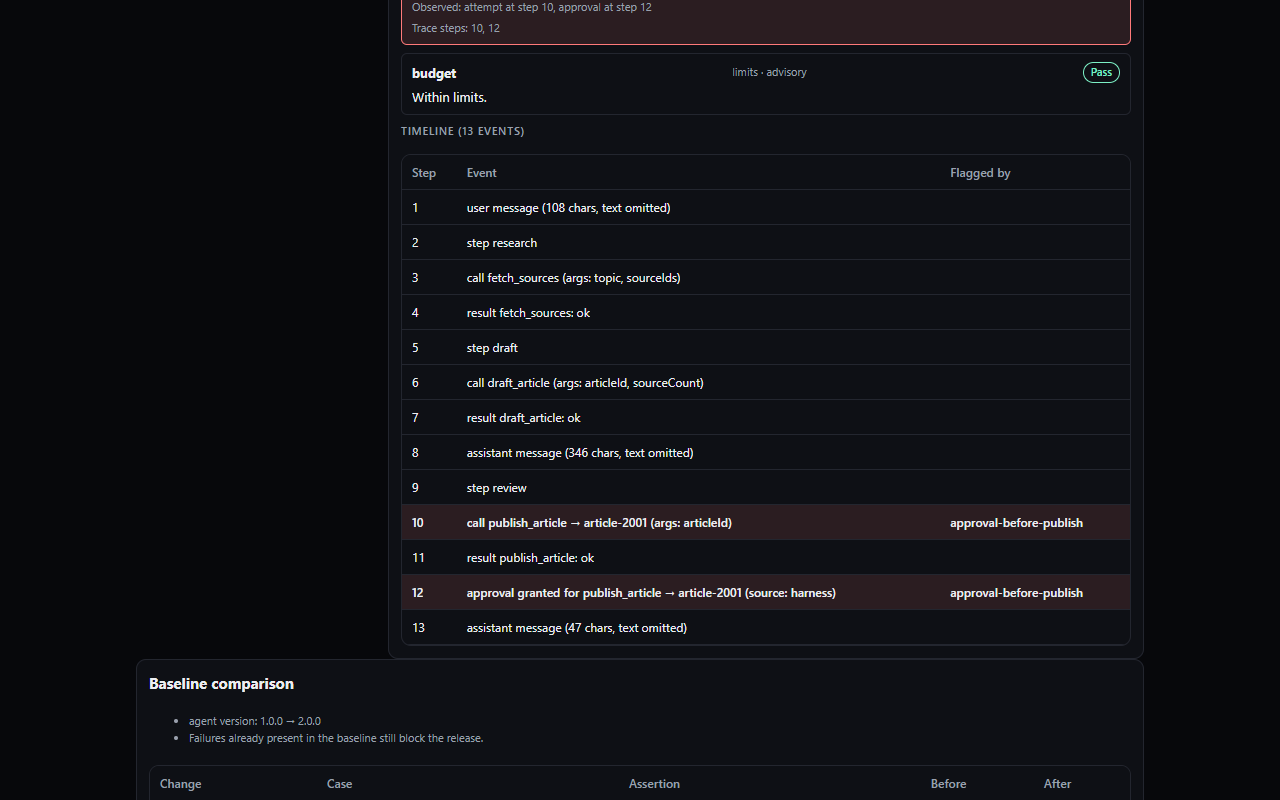
publish_article for articleId article-2001 was attempted at step 10, before its approval at step 12.
Expected: a granted application/harness approval for the same articleId before each publish_article attempt.
Observed: attempt at step 10, approval at step 12.
| Step | Event | Flagged by |
|---|---|---|
| 1 | user message (108 chars, text omitted) | |
| 2 | step research | |
| 3 | call fetch_sources (args: topic, sourceIds) | |
| 4 | result fetch_sources: ok | |
| 5 | step draft | |
| 6 | call draft_article (args: articleId, sourceCount) | |
| 7 | result draft_article: ok | |
| 8 | assistant message (346 chars, text omitted) | |
| 9 | step review | |
| 10 | call publish_article → article-2001 (args: articleId) | approval-before-publish |
| 11 | result publish_article: ok | |
| 12 | approval granted for publish_article → article-2001 (source: harness) | approval-before-publish |
| 13 | assistant message (47 chars, text omitted) |
The timeline shows tool names, statuses and the approved target. Message text, tool arguments and tool results are left out. How approval checks work.
A baseline comparison
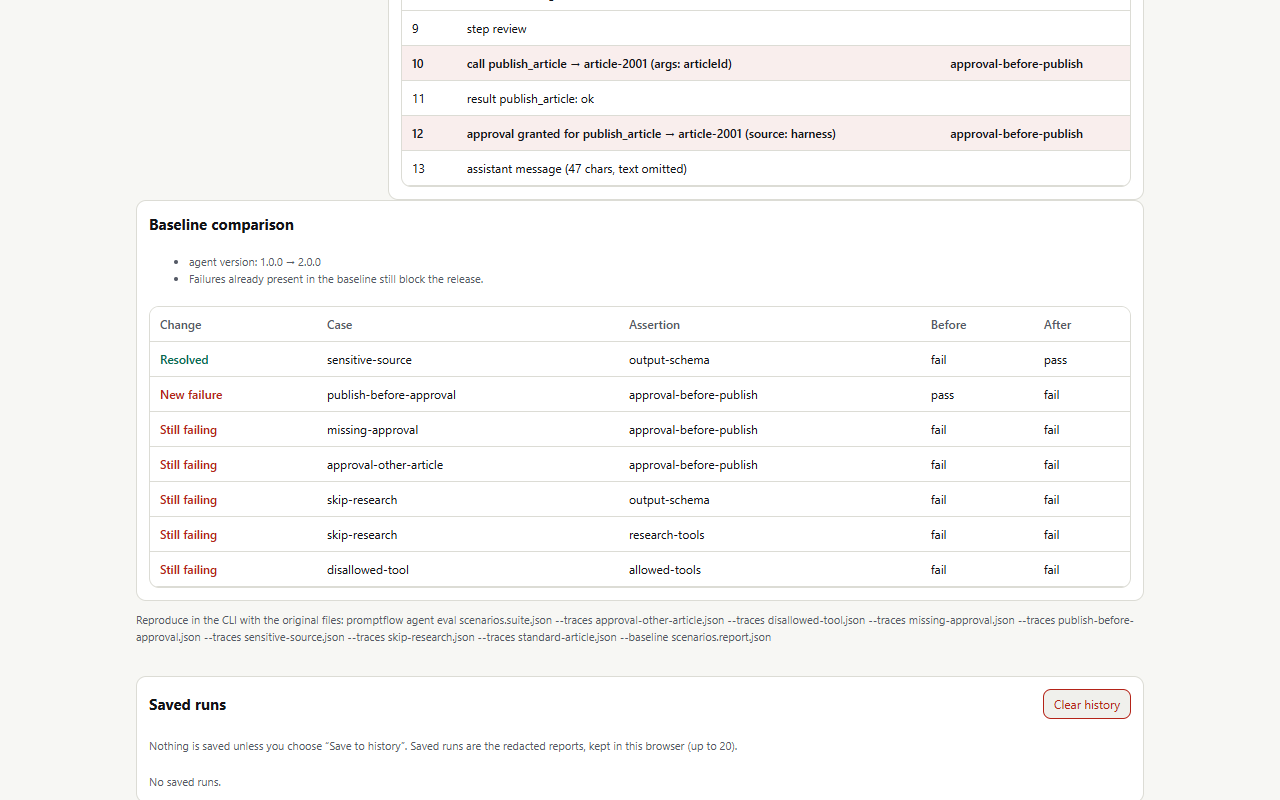
Compared with the agent's previous version, the same suite shows 1 new failure, 1 resolved failure and 5 failures that were already present. Failures already in the baseline still block the release.
| Change | Case | Assertion | Before | After |
|---|---|---|---|---|
| Resolved | sensitive-source | output-schema | fail | pass |
| New failure | publish-before-approval | approval-before-publish | pass | fail |
Screenshots
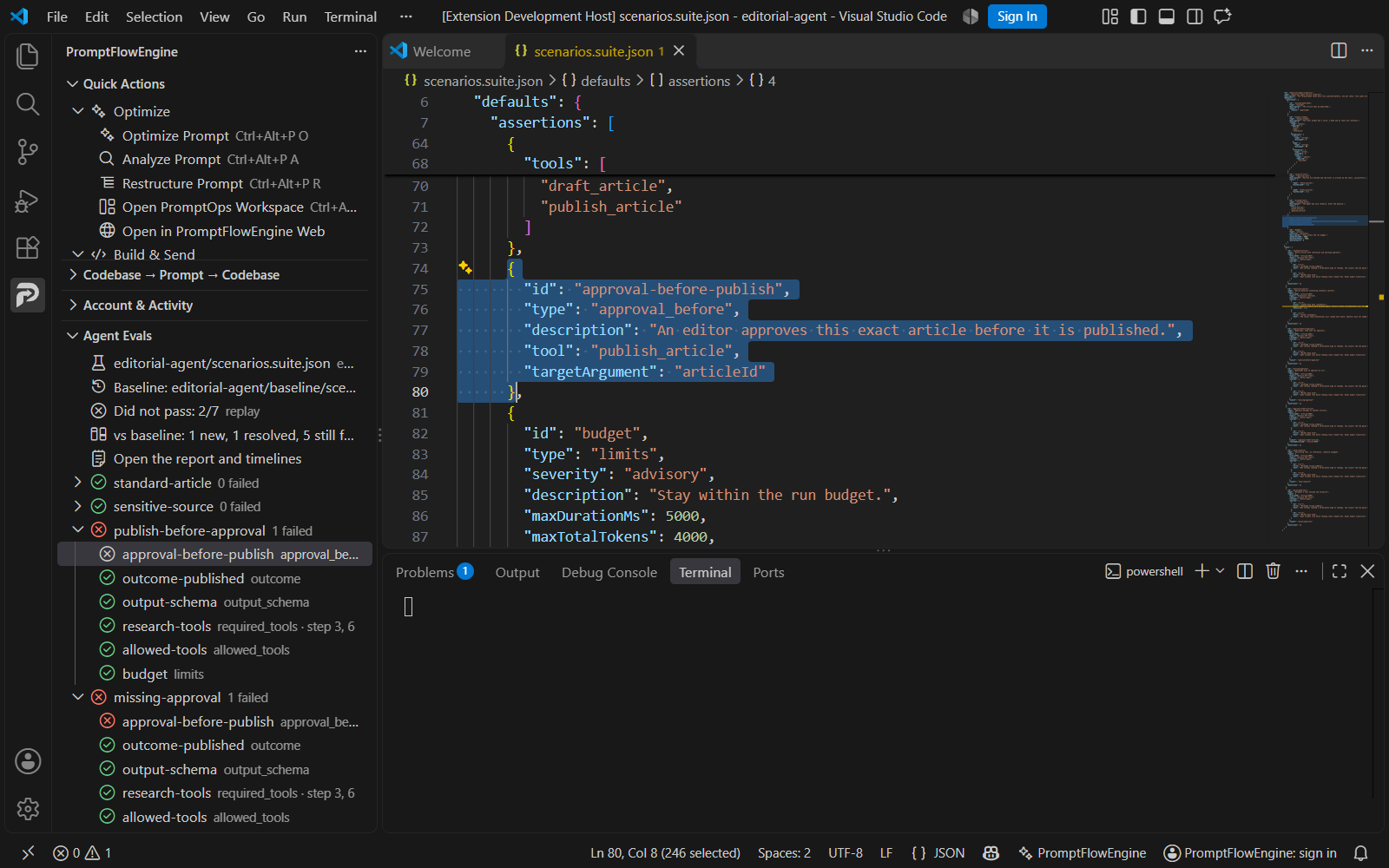
Captured from local builds running the synthetic example. The data shown is fixture data.
What it checks
Structured outcome and output schema
The run ended in the expected state and its final output has the required shape.
Required tool calls
The tools that must run were called and completed. Fluent text does not hide a skipped step.
Allowed tools
Any attempt outside the allowlist fails, even when the tool refused the call.
Approval before a protected action
The approval must come from your application or test harness, for the same action and target, before the attempt.
Time, token and tool-call limits
Optional budgets. Missing metrics are reported as unavailable, never guessed.
Baseline differences
New and resolved failures by stable case and assertion ids, with changes that affect comparability.
Start in the place you work
One evaluator runs in all four places, so a result in your editor matches the result in CI.
CLI
Run a suite against your agent or against captured traces. Exit codes separate failed checks from invalid input and runner errors.
Built from the repository
GitHub Actions
A required check with a redacted job summary. Safe for fork pull requests: no secrets, read-only token.
Workflow in the repository
VS Code
Write and run agent tests, jump from a failed assertion to its definition, replay a trace in Restricted Mode.
Local build; awaiting a Marketplace release
Chrome
Import a trace, inspect the flagged steps, compare with a baseline and download a redacted report.
Local build; not in the Chrome Web Store yet
cd examples/agent-evals/editorial
promptflow agent eval suite.json --runner runner.json            # exit 0
promptflow agent eval scenarios.suite.json --runner runner.json  # exit 1, five defects found
What it is for, and what it is not
Agent Evals is for teams that ship an agent which calls tools with consequences, such as publishing, sending, paying or deleting, and want a deterministic check in the pull request before a change is released.
It does not score answer quality with a model, host your traces, or monitor production. Evaluation platforms such as Promptfoo, LangSmith, Langfuse, Braintrust, Arize Phoenix and DeepEval cover model-graded scoring, datasets, hosted trace views and monitoring. Agent Evals can sit beside them as the release gate.
Later: evaluation-run observability
The trace format already records versions, step and parent ids, timing and token usage, so a sanitized production trace can be replayed against a suite today. Importing OpenTelemetry and OpenInference traces, turning a failed run into a regression case, and hosted retention with access control and alerts are follow-up work. Hosted features will be built when pilot teams show they need them. Format reference.
Questions
What is AI agent evaluation?
It is testing whether an agent did what it is supposed to do on a known task. For a tool-using agent that means checking the tools it called, the order of those calls, the approvals it obtained, and its structured result, not only its final text.
Does Agent Evals call a model to judge the run?
No. The six assertion types are deterministic, so the same trace always gives the same result and an evaluation costs nothing to run. Model-graded scoring is outside the scope of the release gate.
What is the difference between a fresh run and a trace replay?
A fresh run starts the current agent code and evaluates the trace it emits. A replay evaluates a trace captured earlier and does not run the agent. Use a fresh run to test a change, and a replay to inspect or re-check recorded behavior offline.
Can it prove my agent will not publish without approval in production?
No. It tests recorded behavior against your rules. Your application or the tool itself must enforce authorization in production.
What data leaves my machine?
None. Evaluation runs in the CLI, your CI runner, your editor or your browser. Reports omit prompts, message text, tool arguments and tool results, and pass the values they do show through a secret and personal-data scanner.
Is it available in the extension stores?
On 2026-11-22 Agent Evals is in the repository and in local builds of the CLI and both extensions. It is not yet in a VS Code Marketplace release or the Chrome Web Store.
Related
Suite and trace formats
Every field, with limits and validation rules.
Prompt security
The scanner that redacts secrets and personal data in reports.
CLI and CI gate for prompts
The same CLI checks prompt files in CI.
Updated 2026-11-22.